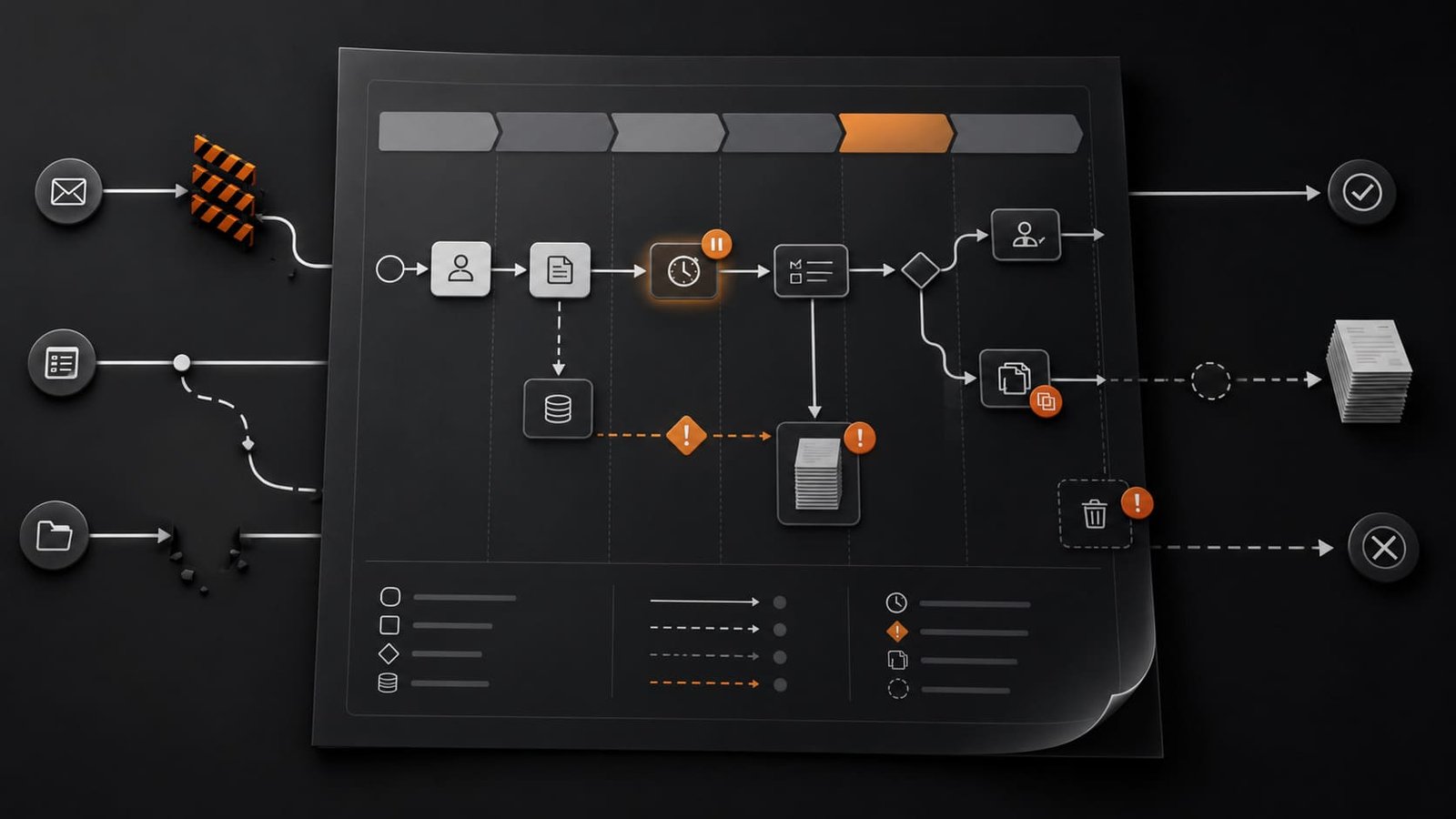
What the Workflow Bottleneck Map does
The Workflow Bottleneck Map helps you look at one workflow and see where work actually slows down.
Not where people think the problem is. Not where the loudest complaint sits. Where work gets delayed, duplicated, dropped, or hidden in the real flow.
It is designed as a one-page worksheet for founders, consultants, operators, marketers, and small teams who need operational clarity before they add another tool, dashboard, automation, or AI step.
Why it is useful
Most workflow problems are not obvious until you map the work from start to finish.
A lead comes in, someone checks a message, someone updates a sheet, someone follows up, someone prepares a report, someone waits for approval, and somewhere in that chain the work starts depending on memory.
That is where small businesses lose time and consistency.
This worksheet gives you a simple way to make the hidden friction visible. Once the friction is visible, you can decide what needs to be removed, clarified, assigned, documented, or automated.
Where it fits in real work
Use this map before improving a workflow, building an automation, hiring someone to help, creating an SOP, or blaming a tool for a process problem.
It fits especially well when a team says things like:
- We keep missing follow-up.
- Reporting takes too long.
- Nobody knows where this gets stuck.
- The process works only when one person checks everything.
- We are doing the same work twice.
The map turns those complaints into a clearer operational picture.
Better use cases
Lead handling: map what happens from first inquiry to booked call, and find where response time, ownership, or follow-up breaks.
Manual reporting: map how numbers are collected, checked, copied, formatted, and shared, then identify the steps that eat time every week.
Client onboarding: map the handoff from sale to delivery so tasks, files, access, and expectations do not depend on memory.
Content or marketing operations: map the path from idea to published asset and spot where approvals, files, or unclear ownership slow execution.
Internal admin: map recurring tasks that feel small individually but create daily drag when repeated across the week.
What to watch out for
Do not use the worksheet to confirm what you already believe.
The point is not to prove that a specific person, tool, or department is the problem. The point is to see the actual flow of work.
Also, do not jump straight from bottleneck to automation. Some bottlenecks need better ownership. Some need fewer steps. Some need clearer rules. Some need a better input. Automation only helps after the workflow is clear enough to run consistently.
Best practical workflow
- Choose one workflow. Do not map the whole business. Start with one recurring flow that already causes friction.
- Define the start and end point. For example: lead submits form to call booked, or data collected to weekly report sent.
- Write every step as it happens today. Not the ideal version. The real version.
- Mark every delay. Look for waiting, approvals, unclear next steps, missing information, or dependency on one person.
- Mark every duplicate step. Look for repeated data entry, repeated checking, repeated messages, or multiple versions of the same file.
- Mark every dropped step. Look for places where work is forgotten, skipped, or assumed to be someone else’s responsibility.
- Mark every hidden step. Look for work that happens in private messages, memory, personal spreadsheets, or one person’s head.
- Pick the first fix. Remove, simplify, clarify, document, or automate. In that order.
How I would use it
I would start with the workflow closest to revenue or client trust.
Usually that means lead response, follow-up, onboarding, reporting, or delivery handoff.
I would not map everything. That becomes another project people avoid. I would choose one workflow, map the current reality, and look for the first visible constraint.
If the issue is unclear ownership, I would fix ownership first.
If the issue is repeated manual copying, I would standardize the input first.
If the issue is hidden work, I would make the status visible first.
Only after that would I consider automation.
A messy process with automation is still a messy process. It just moves faster and becomes harder to question.