
The Client Communication Cadence: Stop Random Updates, Start Predictable Rhythm
A client signs the proposal.
The invoice goes out.
The work starts internally.
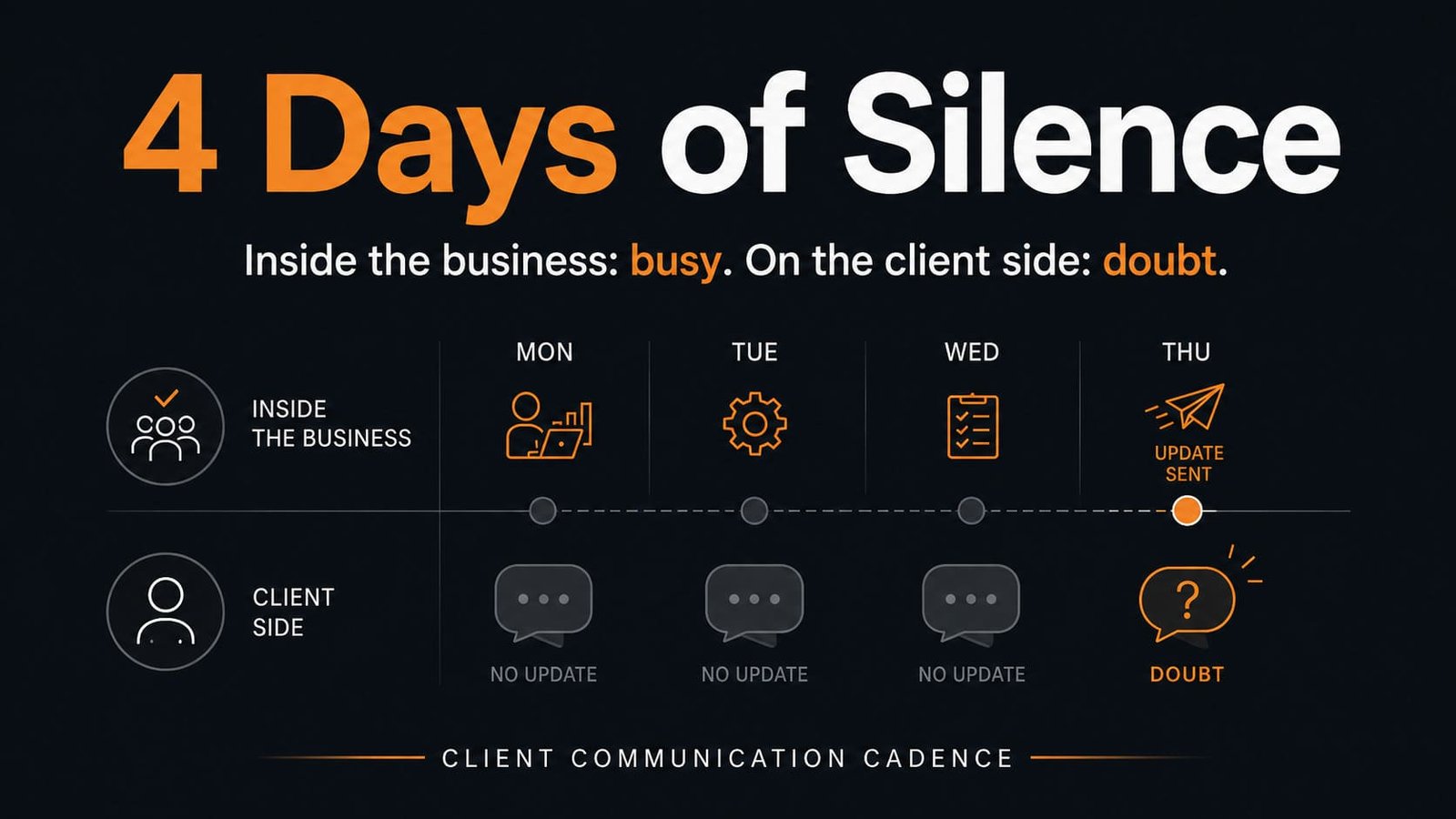
Then the client hears nothing for four days.
No bad intention. No major problem. No disaster behind the scenes.
Just silence.
Inside the business, people are working. Outside the business, the client is guessing.
That gap is where confidence starts to leak.
Why this matters
Most service businesses do not lose client trust because the work is bad.
They lose trust because the client cannot see what is happening.
When communication is random, the client starts filling the gaps themselves:
- “Did they start?”
- “Do they need something from me?”
- “Is the deadline still realistic?”
- “Am I supposed to follow up?”
- “Are they less organised than I thought?”
That is the hidden cost of poor client communication.
It creates uncertainty where there should be confidence.
It turns simple updates into rescue messages.
It makes the founder or account manager the emotional support system for the project.
And it usually creates more work, not less.
Because when clients do not receive predictable updates, they start asking for them manually. Then the team has to stop, search for context, collect details, rewrite the status, and explain what should have already been visible.
The issue is not communication volume.
The issue is communication rhythm.
The practical breakdown
Random client communication usually comes from one of four operational problems.
1. Updates are treated as personal judgment
Someone decides when the client “needs to know.”
This sounds flexible, but it creates inconsistency.
One client gets a detailed Monday update. Another gets a short reply only after asking. A third gets nothing because the team is busy and nobody owns the update.
That is not client management.
That is improvisation.
A better system removes the need to decide every time. The cadence decides first. The person responsible only fills in the right information.
2. The business only communicates when something changes
This is one of the most common mistakes.
Teams think an update is only useful when there is news.
But clients do not only need news.
They need orientation.
A simple “we are still on track, next visible step is Friday, nothing needed from your side right now” can prevent three follow-up messages and a lot of silent doubt.
No update is still an update, if it is sent with purpose.
3. Internal progress is not easy to see
Many client updates are late because the person writing them does not have quick access to the real status.
They need to ask someone. Then check a spreadsheet. Then search a chat. Then compare the deadline against the original agreement.
So the update gets delayed.
Not because communication is hard.
Because visibility is poor.
If you need 30 minutes to understand project status before writing a three-sentence update, the communication problem is only a symptom.
4. Nobody has defined what a useful update includes
Bad updates usually sound like this:
“Just a quick update, we’re working on it and will keep you posted.”
That is not useless, but it is weak.
It does not tell the client what happened, what is next, what is blocked, what is needed from them, or whether anything has changed.
A useful update should reduce uncertainty.
If it does not do that, it is just a message.
What to fix first
Do not start by buying a client portal.
Do not start by automating emails.
Start by defining the operating rhythm.
Step 1: Map the client journey points where silence creates doubt
Look at the first 30 days of a client relationship.
Mark the moments where the client expects clarity:
- after signing
- after payment
- before kickoff
- after kickoff
- before the first deliverable
- after the first deliverable
- when feedback is needed
- when a deadline is approaching
- when something is blocked
- when there is no visible progress for several days
These are not “nice to have” communication points.
They are trust protection points.
Step 2: Decide the minimum communication cadence
For most service businesses, a simple rhythm is enough:
- Day 0: confirmation after signing or payment
- Day 1: onboarding message with next steps
- After kickoff: summary of decisions, owners, and next visible milestone
- Weekly: short status update
- Before every client action: clear request with deadline and context
- After every client action: confirmation of receipt and next step
- When blocked: issue, impact, decision needed, deadline impact
This does not need to be complicated.
It needs to be consistent.
Step 3: Create one standard update structure
Use the same structure every time unless there is a good reason not to.
A practical client update can be this simple:
- Status: on track, at risk, blocked, waiting for input
- What changed: what moved since the last update
- What is next: the next visible step
- What we need from you: one clear request, or “nothing needed”
- Next update: date or trigger
This structure reduces writing time and makes updates easier to understand.
It also protects the team from sending vague reassurance when the client needs actual clarity.
Step 4: Assign ownership
Every active client should have one communication owner.
Not five people. Not “whoever is closest to the project.”
One owner.
That person does not need to do all the work. But they are responsible for making sure the client is not left guessing.
If nobody owns the update, the client owns the follow-up.
That is a weak operating standard.
Step 5: Track communication gaps
Add a simple field to your client tracker:
- Last client update sent
- Next update due
- Client waiting on us?
- We are waiting on client?
- Current status
This is enough to spot most problems before they become awkward.
Simple self-audit: Client Communication Cadence Check
Score each item from 0 to 2.
- 0 = not true
- 1 = partly true
- 2 = consistently true
- Every new client receives a clear confirmation within 24 hours of signing or paying.
- Every client knows what happens next after onboarding.
- Every active client has one clear communication owner.
- Client updates follow a standard structure, not personal style.
- The team can see the last update and next update date without searching through messages.
- Clients receive updates even when there is no major progress, if silence would create doubt.
- Blocked work is communicated with impact and next decision needed, not vague excuses.
- Client requests include a clear action, deadline, and reason.
- Internal project status is visible enough to write a client update in under five minutes.
- There is a weekly rhythm for active client updates.
Score interpretation
- 0–7: Communication is mostly reactive. Clients are probably chasing clarity more than they should.
- 8–14: Some structure exists, but the system still depends too much on memory and personal discipline.
- 15–20: The foundation is strong. The next improvement is usually automation, templates, or better visibility.
Better operating standard
A better client communication system should meet five standards.
1. The client should never wonder what happens next
This is the simplest rule.
After every important client interaction, the next step should be clear.
Not buried in a long message.
Not implied.
Stated clearly enough that nobody has to guess.
2. Silence should be intentional
There are times when no message is needed.
But that should be a decision, not an accident.
If the client has not heard from you because nothing useful needs to be said, fine.
If they have not heard from you because everyone assumed someone else would update them, that is an operating gap.
3. Updates should reduce questions
A good update answers the questions the client is about to ask.
Where are we?
What changed?
What is next?
Do you need me?
Has the timeline changed?
If your updates create more questions than they answer, the format needs work.
4. Communication should be visible internally
Client communication should not live only in one person’s inbox.
The team should know when the client was last updated, what was promised, and what needs to happen next.
Otherwise, the business becomes dependent on one person remembering every conversation.
5. The cadence should match the risk
Not every client needs the same update rhythm.
A low-complexity monthly service may need one weekly or bi-weekly update.
A high-stakes project with many moving parts may need a tighter rhythm.
The rule is simple:
The more uncertainty, dependency, or client anxiety involved, the clearer the communication cadence needs to be.
Where automation or AI fits
Automation helps after the communication rhythm is clear.
You can automate reminders for next update dates, trigger onboarding emails after payment, generate draft updates from project fields, or flag clients who have not received an update in several days.
AI can help draft the message, but it should not decide the operating standard. The business still needs to define the cadence, owner, status fields, and escalation rules first.
If the process is unclear, automation only helps you send inconsistent communication faster.
A simple cadence you can start with this week
Use this for every active client for the next seven days:
- Monday: send a short “status and next step” update
- Midweek: update only if something changed, something is blocked, or client input is needed
- Friday: send a short close-of-week update with what moved, what is next, and whether anything is needed from the client
Keep each update short.
Use the same structure.
Track the last update date.
After one week, check how many client follow-ups you avoided and how much easier it was to explain project status internally.
Silence often feels harmless from inside the business.
The team is busy. The work is moving. Someone will update the client when there is something important to say.
But from the client’s side, silence does not feel like progress.
It feels like uncertainty.
That uncertainty creates follow-up messages, extra explanations, nervous checking, and small trust leaks that should never have happened.
A good communication cadence does not make the business more formal.
It makes the client relationship easier to trust.
The client knows where things stand.
The team knows who owns the update.
The business stops relying on memory, mood, or urgency to decide when communication happens.
That is the operating standard to aim for.
Run the Client Communication Cadence Check above for every active client.
Do not overthink it.
Write down three things:
- when each client last received a useful update
- who owns the next update
- whether the client is currently waiting, guessing, or blocked
If you cannot answer those three questions quickly, you do not have a communication cadence yet.
You have scattered updates.
Fix that before adding another tool, dashboard, or automation.